

If you’ve ever sat through a product demo and thought, “This seems great… but do we actually need all of this?”—you’re not alone. Without a little prework, reviewing LMS product sites and sitting through a LMS product demo will likely feel the same. It’s easy to jump straight into comparing platforms before defining what really matters to you and your organization. The result? Confusion, feature overload, and systems that, ultimately, don’t align with your goals. In the first post, we focused on strategy—clarifying what you’re trying to achieve, how you’ll measure success, and who you’re serving. Now it’s time to translate that strategy into a scope.
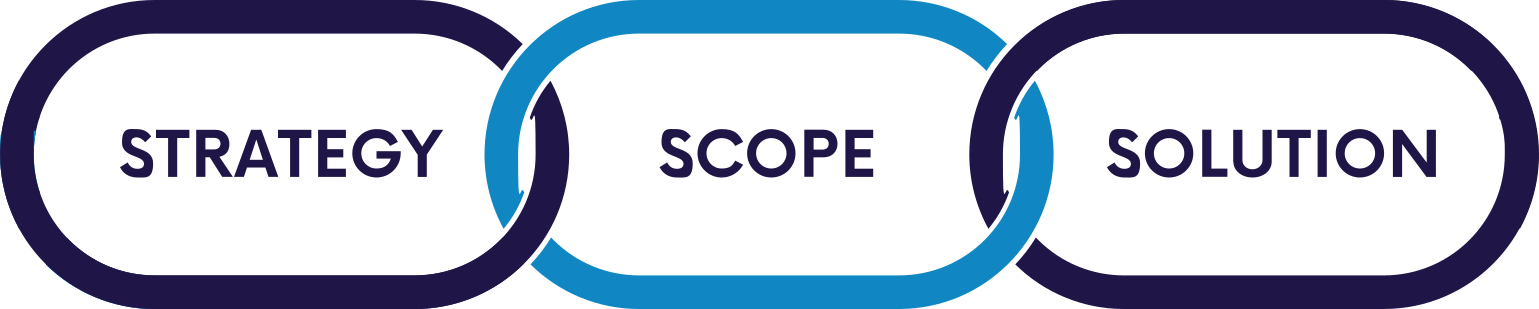
Taking time to define a scope helps make the LMS marketplace less noisy. Many platforms can do a lot, and feature lists get long fast. A clear scope helps you cut through the marketing language and evaluate options based on what will actually support your goals. Put simply: defining scope helps you narrow the field quickly, ask better questions in demos, and avoid over‑ or under‑building your solution.
Scope has two parts:
- Baseline constraints – the boundaries you need to work within as you identify a solution
- Must‑have features – the non-negotiable features the system needs to include to support your strategy
Let’s walk through each.
Establishing a Baseline
Baseline constraints are the realities that shape what’s possible—budget, timeline, policies, audience size, and any requirements that may limit your options. Getting these on paper early will save you time and prevent frustration later.
Budget
Simply put, what can you afford? Having access to an LMS typically involves two types of costs:
- Implementation costs – set‑up and configuration, integrations, data migration (if transferring an existing system), and system integrations and customizations
- Ongoing costs – annual/monthly subscription fees, per user costs, hosting and maintenance costs, technical support add-ons, and feature upgrades
Implementation and ongoing costs will differ depending on whether you’re considering software as a subscription (SaaS) LMS or a custom built LMS solution. Let’s set that difference aside for now, our next post will help you decide which type of solution is the right fit for your organization. For now, focus on identifying how much you’re willing to pay to have a system in place that meets the goal(s) you’ve identified. If you have a system in place now, you may use your current budget as a placeholder. If you’re doing this for the first time, consider a workable budget range and refine it as you learn more.
Implementation Timeline
Timeline affects everything—from which partners you can realistically consider to how much customization is feasible. If you have a deadline tied to onboarding cycles, compliance seasons, product launches, or the launch of a strategic initiative, write it down.
Keep in mind that it’s also possible to do a phased approach. For instance, you may pursue a soft launch to meet an urgent deadline and get feedback followed by a broader launch where you introduce additional features or expand the audiences using the system.
Organizational Policies & Requirements
Some constraints aren’t about features – they’re about rules. For example:
- IT rules regarding new applications/software
- Accessibility expectations
- Procurement requirements and vendor vetting steps
- Policies related to system access, especially if you have an external audience
You don’t need to be a technical expert here—just capture the “non‑negotiables” your organization requires that you adhere to and bring them into conversations with prospective LMS partners early.
Security & Privacy Considerations
If you serve minors, handle sensitive information, or operate in regulated environments, security and privacy constraints may narrow your options quickly. Even if you’re not in a heavily regulated industry, it’s worth listing what matters: how does the system ensure security, who owns the data, how it’s stored, who can access it, and how user accounts are managed. If you’re unsure, be sure to bring this up as you begin conversations with prospective partners to gain an understanding of considerations that may impact your unique context.
Number of Users
User count can affect cost and platform fit, but the number alone isn’t enough. Break it out by role when possible:
- Learners (internal employees, members, customers, partners, volunteers)
- Instructors/facilitators (if applicable)
- Administrators and support staff
- Managers or supervisors who assign learning and track completion
Also note expected growth of your user base: Do you plan to onboard 3 people a month – or 300? Are you serving a stable membership base – or a fast‑growing customer community?
The point of baseline constraints isn’t to box you in – it’s to create smart boundaries that keep your search focused. Use the worksheet that follows this article to capture details about your baseline constraints.
Identify a List of Must‑Have Features (and Keep It Short!)
Once you know your baseline boundaries, the next step is identifying must‑have features. This exercise is not a wish list; it’s should help you define the capabilities that are essential for your strategy to succeed.
A good “must‑have” list is short.
Most successful LMS implementations prioritize a handful of non‑negotiables and treat everything else as “nice‑to‑have.” In our experience, if a feature causes you to think, “That’s exactly what we need!” or “That will save me so much time!” or “This will be so much easier for our learners!” then you’re likely considering a must have feature. Alternatively, if your first thought is, “That’s interesting – I might use that,” it’s probably a nice‑to‑have. In many organizations, those shiny objects go unused. Knowing your nice-to-haves will help you identify bonus points when comparing platforms that meet your must‑haves.
A practical way to build your must‑have list:
- Start with your strategy: What goals are you trying to achieve?
- Consider the learning experience : What do you deliver today? What is next?
- Consider your audiences: What parts of the experience need to be frictionless for your learners and admins?
- Define your reporting needs: What data must you be able to produce to prove success?
To keep things simple, it helps to group features into categories. Below are common feature categories to guide your thinking. A worksheet with more detailed features follows these broad descriptions for each category. Use this tool to identify your must-haves.
Common LMS Feature Categories
Learning Experience Delivery
Learning experience tools support the design, delivery, and tracking of the programs you offer. Today’s LMSs support more robust learning experiences than just self‑paced online modules – many support webinars, live virtual classes, hybrid cohorts, and in‑person events. As you identify features in this category, consider not only what you offer now, but also what you plan to offer in the future. The goal is to ensure your LMS has the flexibility to support a range of learning modalities without overwhelming you with functionality you don’t need.
Certificate, CEU, and Credential Management
These tools simplify how organizations track and report continuing education credits (CEUs), manage recurring certifications, and award badges or micro‑credentials. If your learners must complete required training on a set schedule, such as annual compliance modules, these features reduce administrative work and help maintain accurate records. Whether you are issuing certificates of completion or supporting more complex learning pathways to earning a credential, these capabilities help ensure the process of tracking, viewing, and reporting the related data is as easy as possible.
Administration & Reporting
Administration and reporting tools give your team the ability to set up learning experiences, manage enrollments, monitor learner progress, and generate meaningful reports for stakeholders. Depending on the LMS, this may include multi‑level administration structures (e.g., global admin > business unit admins > manager/supervisor admins), automated reporting, or visual dashboards that make it easier to interpret data and spot patterns. Strong administrative and reporting tools help reduce manual effort and provide better visibility into learning progress as well as progress toward your goals with the system.
Integrations
Integrations help your LMS connect seamlessly with the existing systems your organization relies on – such as your Identity and Access Management (IAM) system, HR Information Systems (HRIS), Customer Relationship Management (CRM) software, webinar platforms, intranet, or website. These connections reduce duplicate data entry, streamline workflows, and create a more cohesive learning ecosystem. As you evaluate this category, consider which systems, if any, the LMS absolutely must communicate with to support your goals, and which connections would simply add convenience. Prioritizing essential integrations early ensures your LMS is a connected part of your operations rather than a standalone tool.
Help & Support
Help and support offerings can significantly impact both your implementation experience and long‑term success with the LMS. Some providers offer hands-on onboarding, technical assistance, and customer support, while others provide more self-serve help resources such as an online knowledge base and/or community forums. In some cases, help and support for users is included. In other cases, you can purchase additional support as an add on. Consider what level of support your admin team will realistically need, as well as whether your learners will require direct help from someone other than your administrators. The right level of support ensures that questions and challenges can be addressed quickly, keeping your learning programs running smoothly.
Branding
Branding features allow you to align the LMS with your organization’s visual identity, creating a consistent and aligned experience for learners. Basic branding may include adding a logo or adjusting colors in the user interface, while more advanced options allow for completely white labeling the interface as if it is an app you created. Consider how important the brand experience is for your internal or external audiences.
Specialized & Emerging Features
Specialized and emerging features represent the non-traditional add-on services such as ready-to-use content libraries as well as innovative capabilities gaining traction in today’s LMS landscape, such as AI‑powered features. These features can elevate the learning experience or help support new strategic priorities, but they are typically “nice‑to‑have” rather than essential. AI-enabled features will no-doubt continue to evolve and are something to keep your eye on as you evaluate options; however, many of these features are still very much emerging. Consider how closely these tools align with your goals and whether they offer measurable value before placing them on your must‑have list.
Looking Ahead
By the end of this step, you should have two things:
- A clear set of baseline constraints that shape your options
- A short list of must‑have features that directly support your strategy
With your strategy and scope in hand, you’re ready to begin evaluating potential solutions. In the next post, we will compare different types of LMS solutions, consider a few questions to help you select the right type of solution to explore, and share some practical tips to guide your search.
Next Steps
Want a simple way to capture your constraints and must‑haves? Download our LMS Scope Worksheet and bring it to your next internal planning conversation.